Project Overview
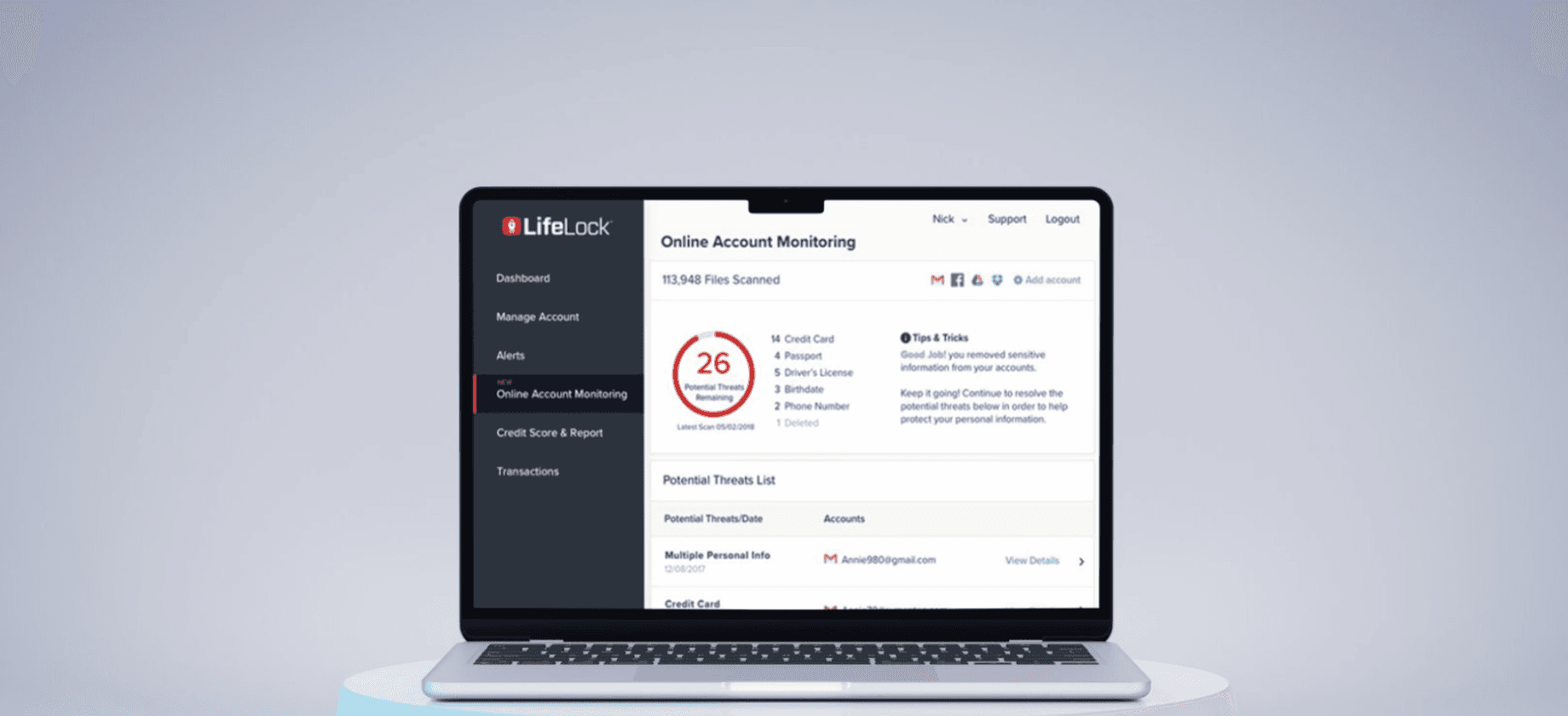
Online Account Monitoring is an additional LifeLock feature offering customers identity protection for their online accounts, including email, cloud storage, and social accounts (e.g., Gmail, Dropbox, Facebook). Users will get alerted if sensitive information (SSN, bank accounts, passwords, etc.) has been found in their accounts that could expose their identities in the event of a breach.
My Role: Principal UX/UI Designer
Timeline: 3 months
Cross-functional Teams: Business Development, Design & Research, PM, Engineering, Marketing, Legal
Business Impact
User Engagement
Drove User Engagement & Retention
The new product feature directly increased monthly active users and email click-through rates, demonstrating enhanced user engagement and platform stickiness.
Revenue Growth
The strategic product enhancement strengthened our competitive positioning while driving measurable improvements in subscription conversion rates and customer lifetime value.
Product Discovery
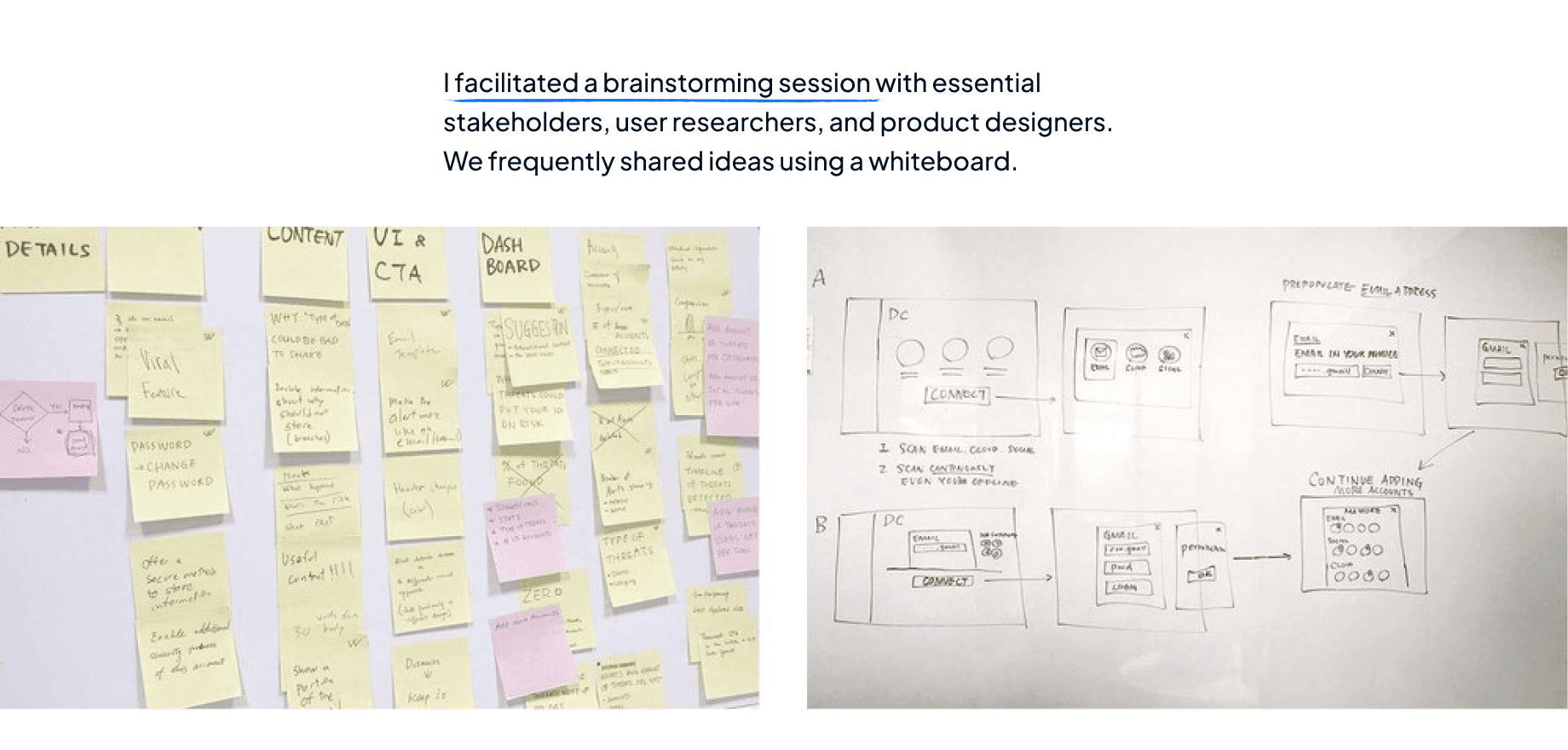
Initial user testing revealed critical insights that shaped our product strategy. Users expressed significant security concerns around data privacy while demonstrating strong demand for proactive monitoring capabilities to protect their sensitive accounts.
Early Design Exploration
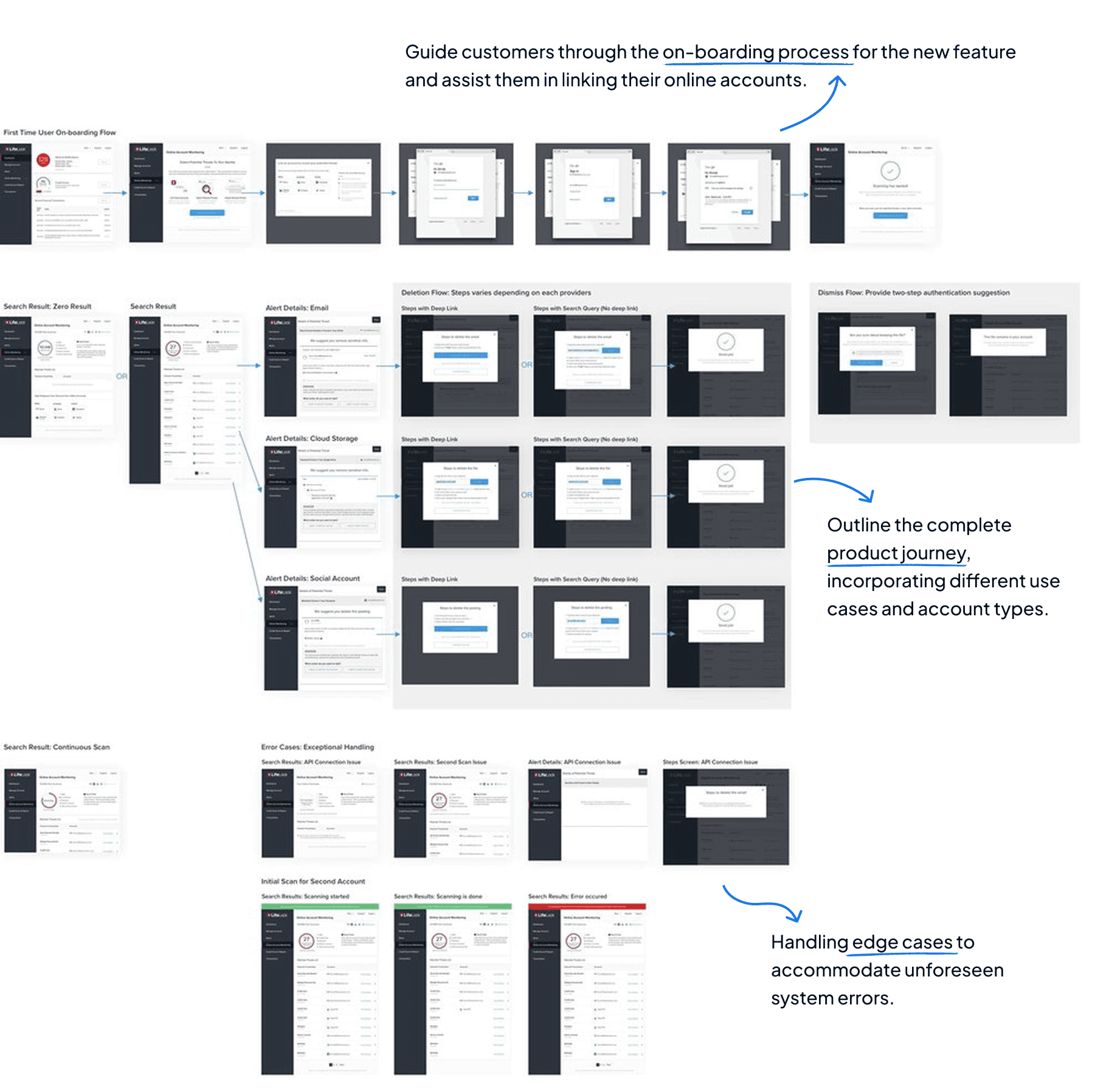
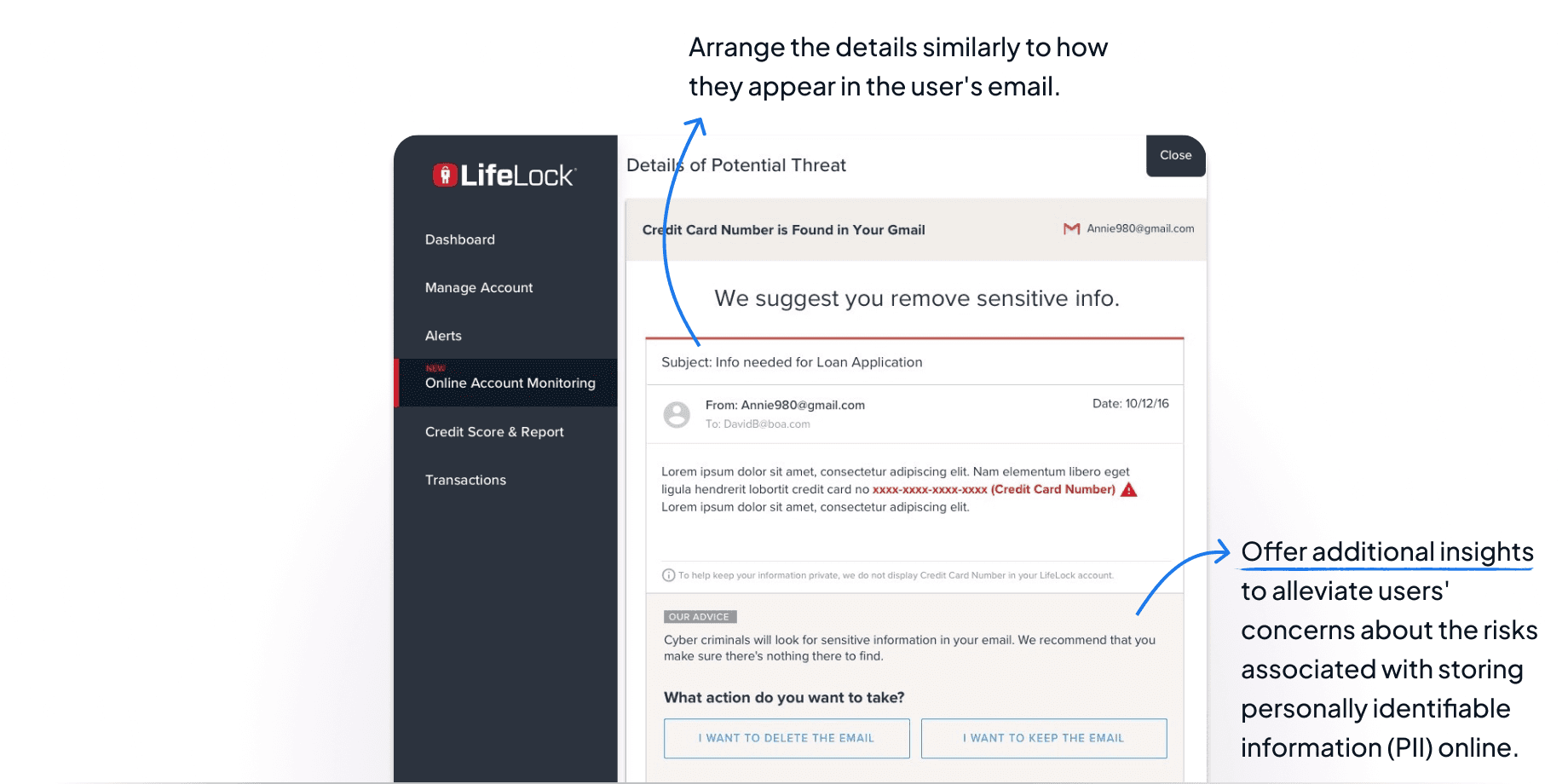
Like most of the design process, the project has gone through many rounds of reviews and revisions on the functionalities and user flow. At the same time, I also put effort into UI exploration and content strategy. For a complicated product feature like this, we always need to keep the dynamic data and multiple use cases in mind.
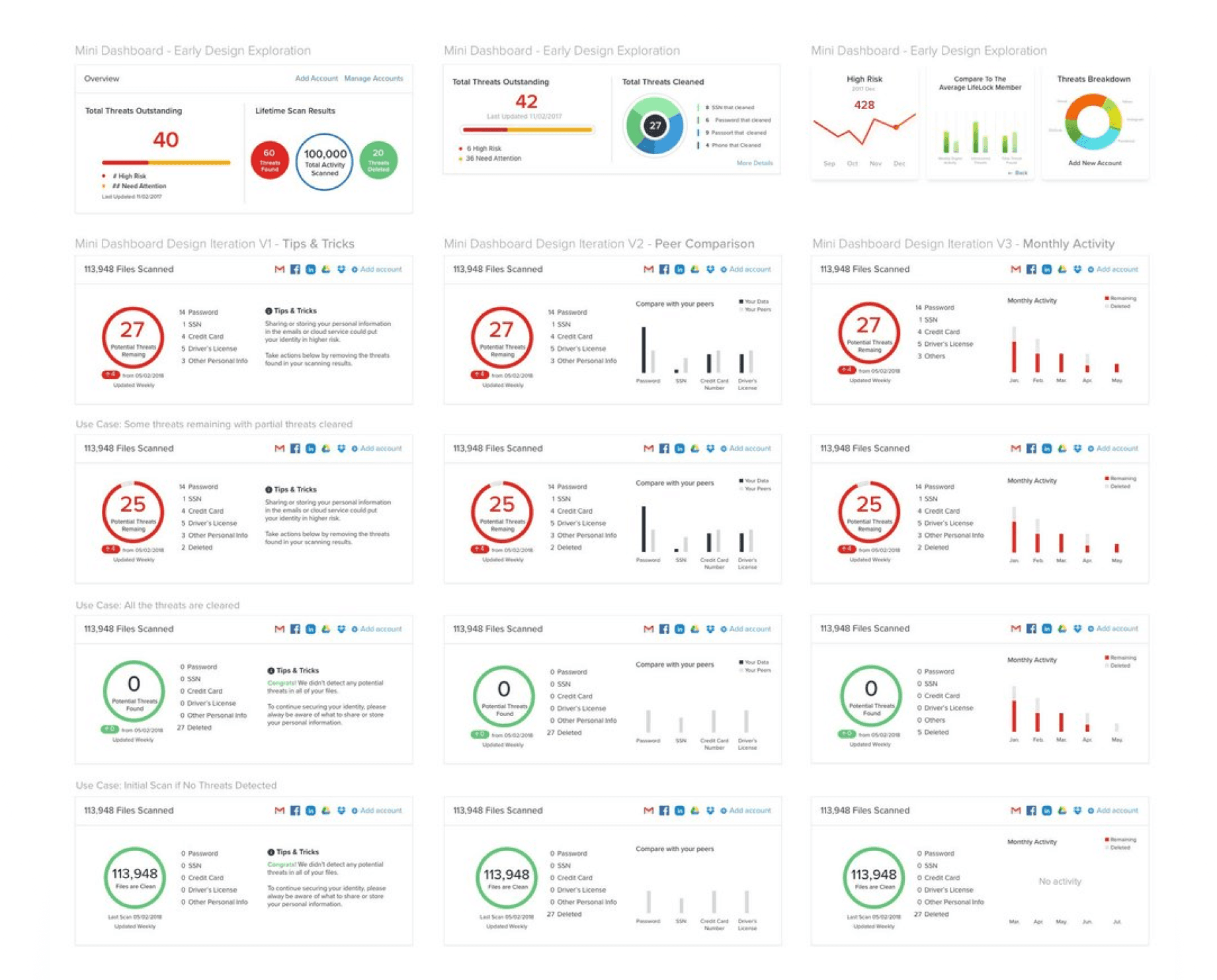
Early Design Concept & Design Iterations
After prioritizing all the brainstorming ideas based on the product strategy and technical constraints, I came up with a few proposed design concepts for the second round of user testing. Legal requirement also plays a critical role in some design decisions, as legal has very specific requirements on what the information could be displayed as well as certain languages should be used within the context.
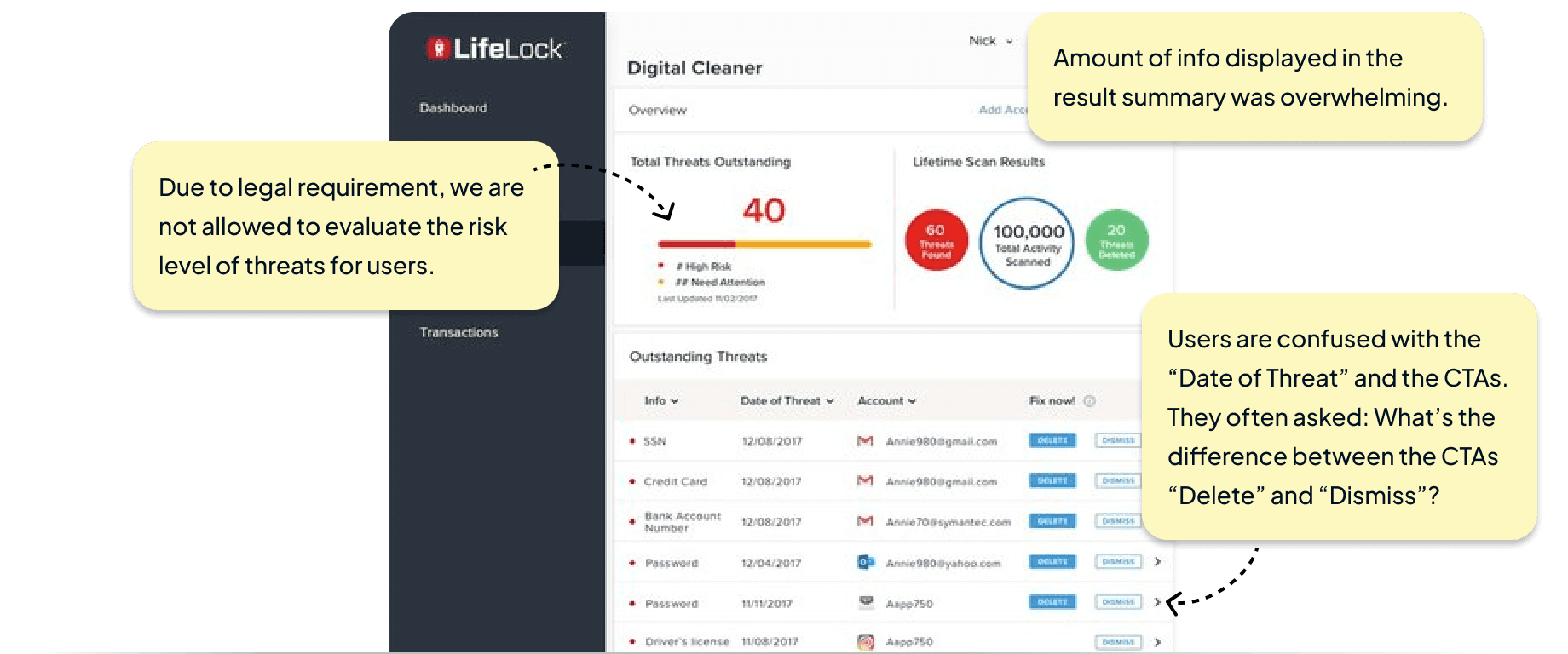
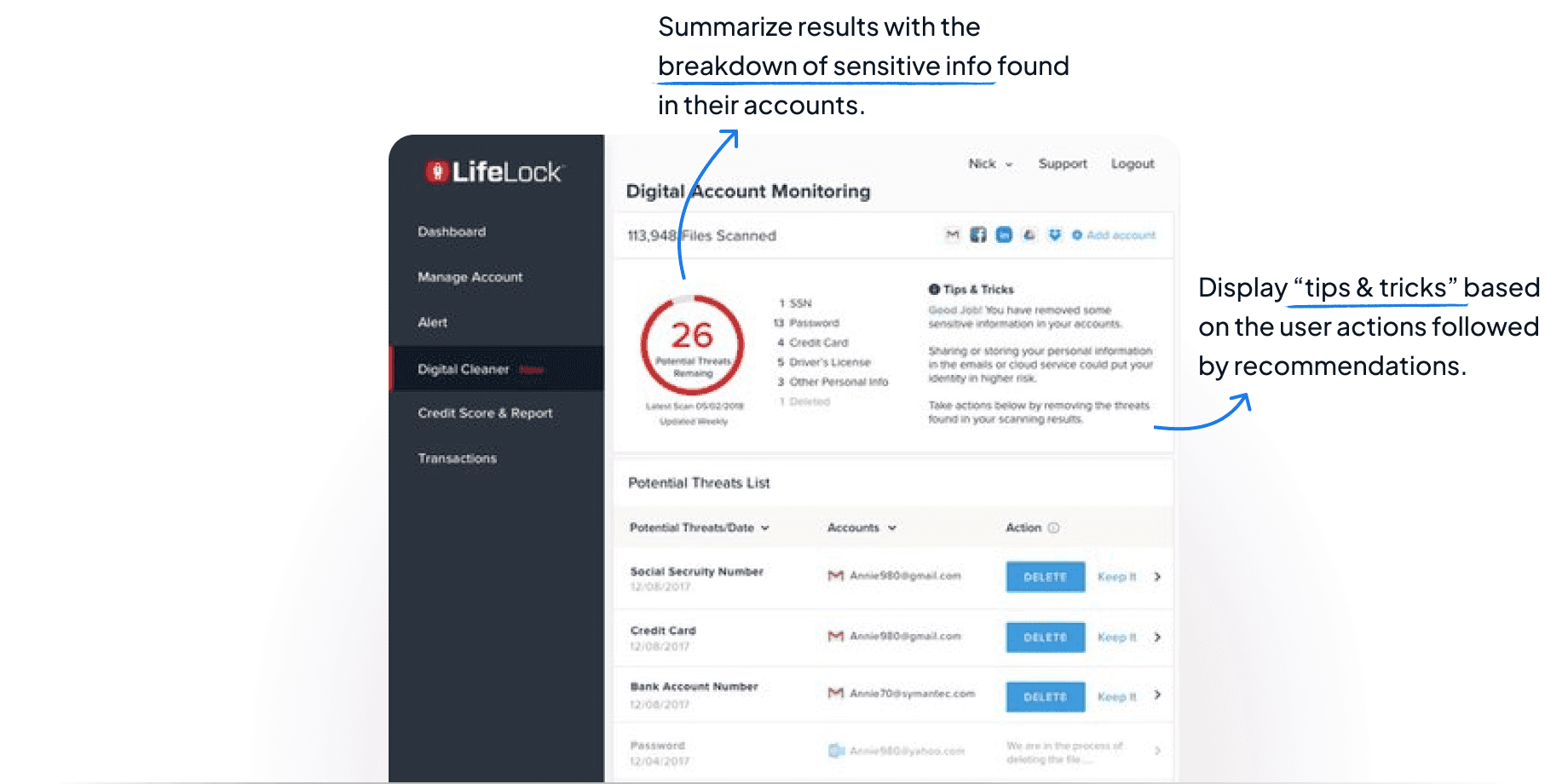
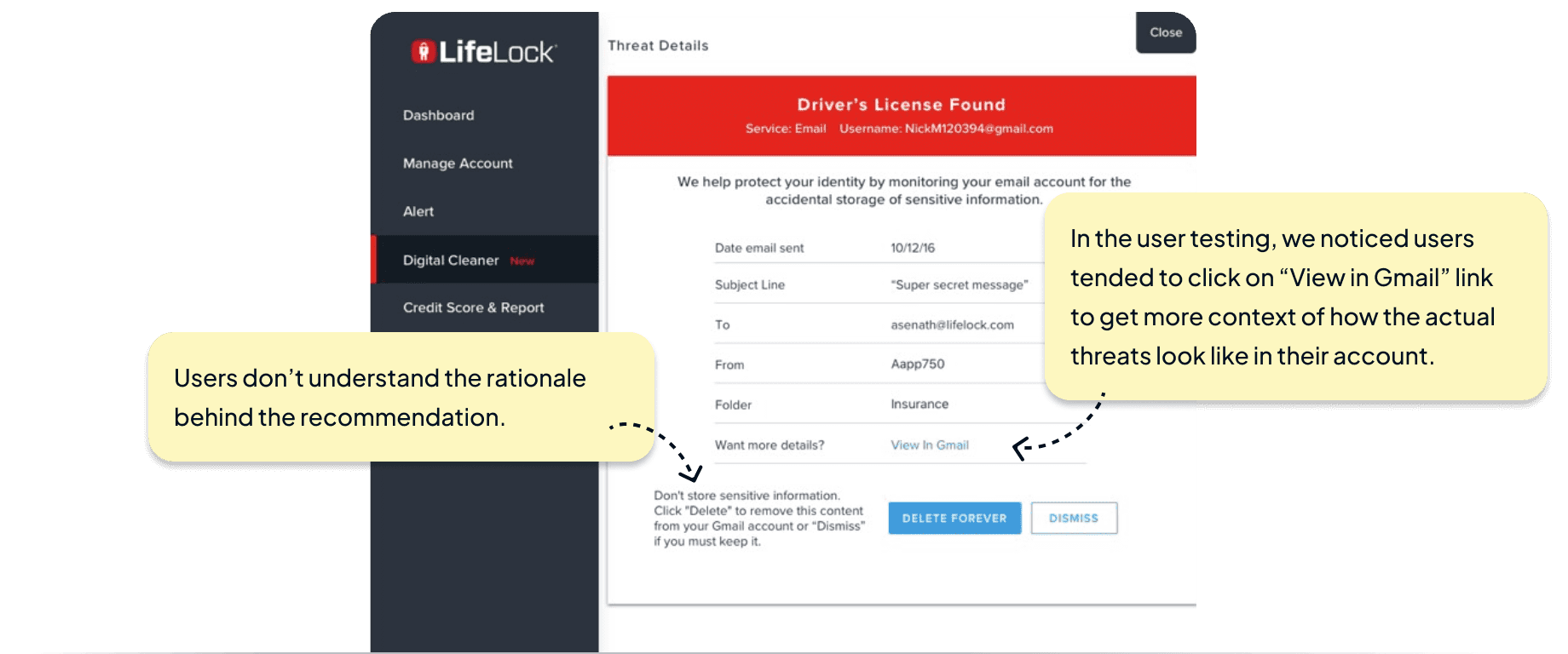
Support Multiple Use Cases
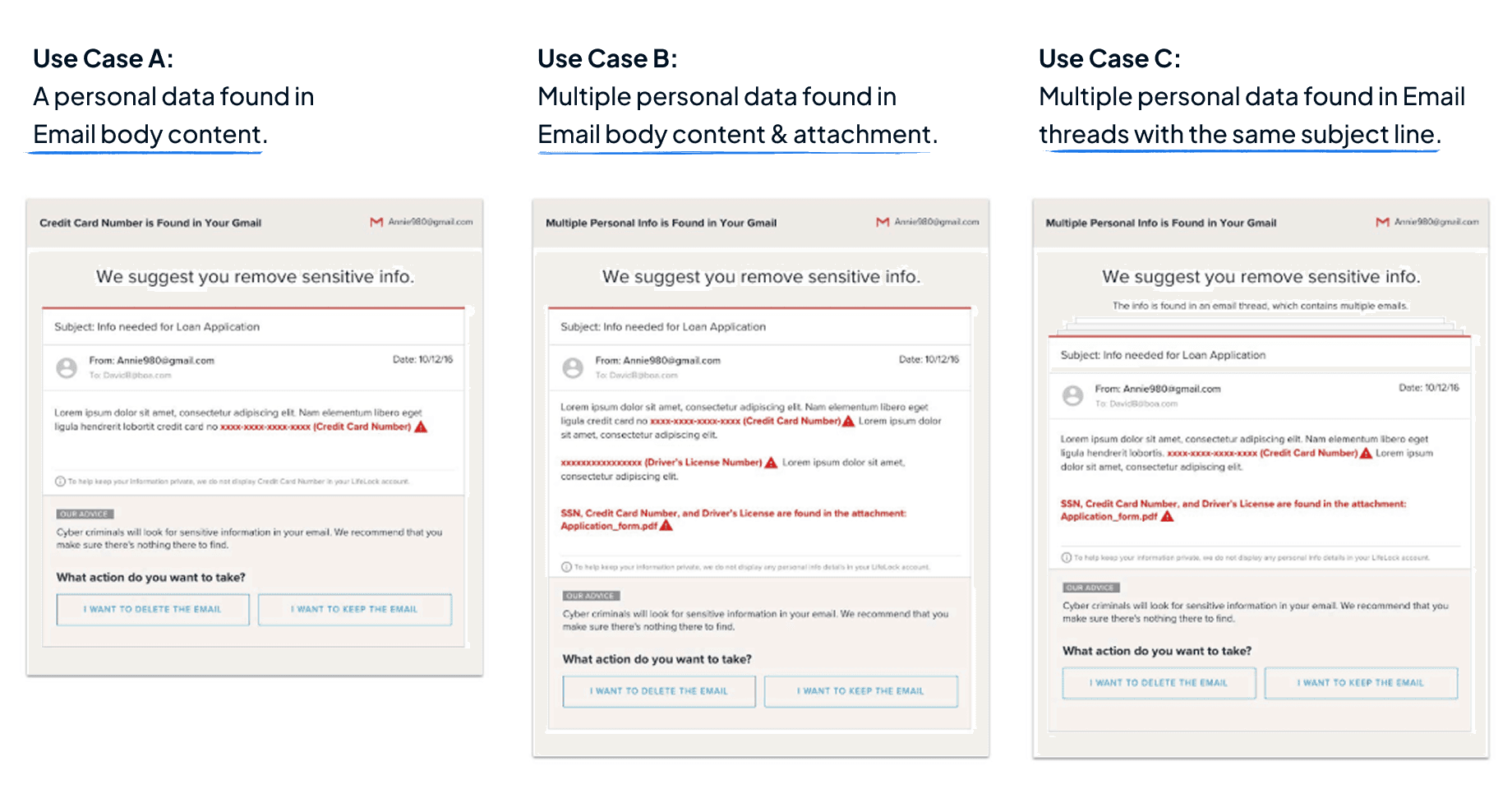
UI design for a product feature with dynamic data needs to be flexible enough to support various use cases. Even after handing off the detailed specs to developers, the team discovered more use cases that were overlooked. Take the alert details as an example, the threat could be found in a single email, as well as in an email thread with the same subject line. Also the threats could be detected within the email body content or email attachments.
Support Multiple Account Types
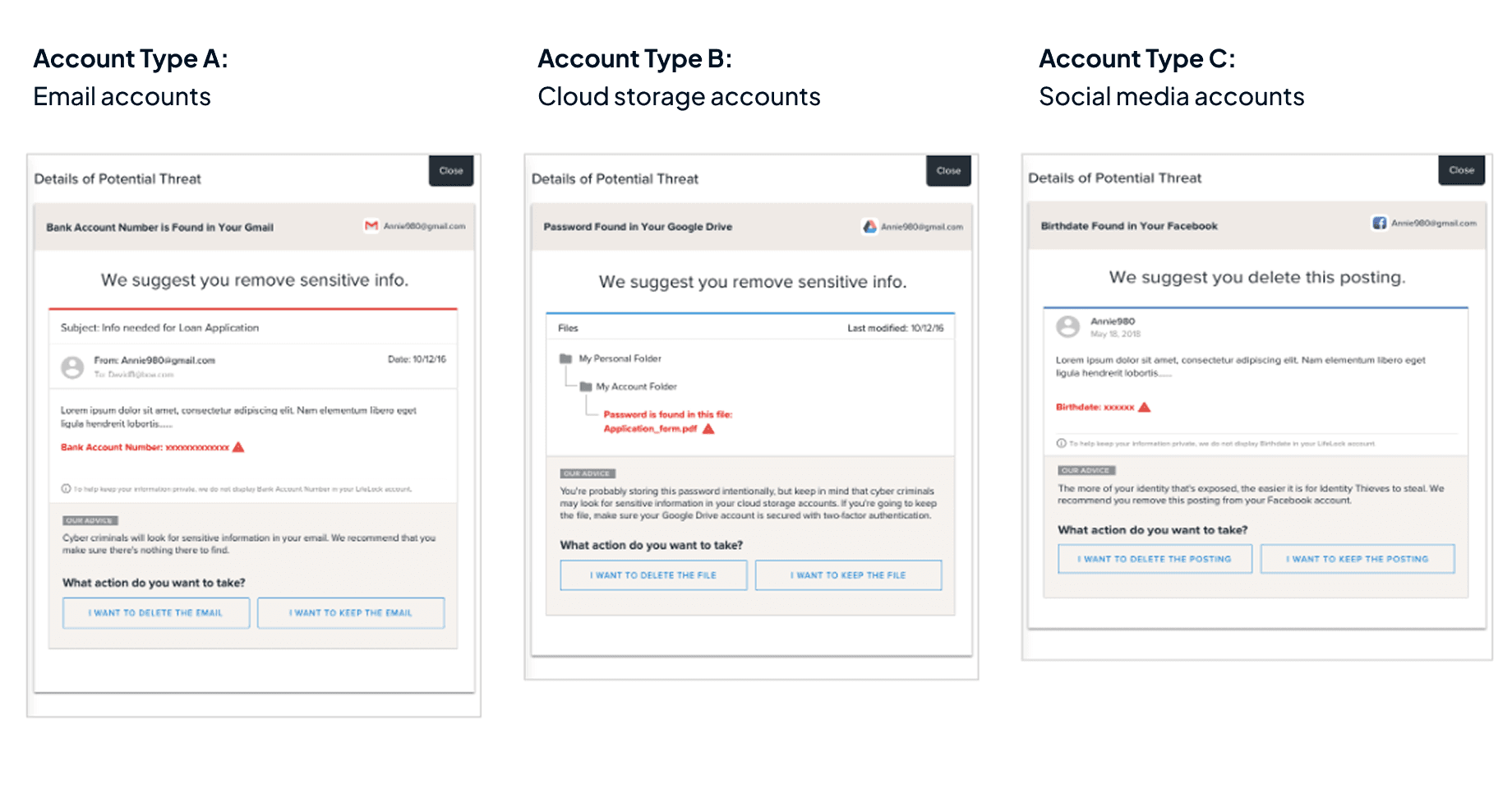
There are three types of accounts being supported in this feature. To keep the overall user experience consistent but also give enough context, I created templates for each account type.